Best Webcams for Work & Streaming (2026)
Your laptop's built-in webcam makes you look like you're in witness protection. These picks cost less than a dinner out and look ten times better.
Guide updated June 2026
This page contains affiliate links. If you buy through them, we earn a small commission from Amazon at no extra cost to you. It doesn't change what we recommend — but you deserve to know before you click.
Editor's Note
“I was on video calls for months before someone finally said something. Laptop webcam. Working from home means people see your face all day — that is not the time to be using the camera that came free with your laptop.”
— The TotalTechPicks Team
How we picked
Webcam marketing is all megapixels and buzzwords, so we ignored it. We compared real sample footage — the kind people post on YouTube and r/WFH when they're deciding between cameras — in three conditions that actually matter: a bright room, a dim room, and backlit against a window. We also weighted long-term reliability heavily, because a webcam that needs replugging before every meeting is worse than a slightly softer image.
Every pick in this guide is re-verified against Amazon nightly, so you'll only ever see products you can actually buy today.
At a Glance — Full Comparison
ratings from Amazon · prices approximate| # | Product | Price | Rating | |
|---|---|---|---|---|
| 1 |  Logitech C920s HD Pro Webcam 🏆 Best Overall | $49.99 | ★ 4.6 (45,000) | View → |
| 2 |  Razer Kiyo — Built-in Ring Light ✨ Staff Fave | $49.99 | ★ 4.4 (31,000) | View → |
| 3 |  Anker PowerConf C200 2K Webcam 💰 Best Value | $39.99 | ★ 4.4 (21,963) | View → |
| 4 |  Logitech Brio 4K Ultra HD Webcam 🎯 Best for Work | $149.99 | ★ 4.4 (22,000) | View → |
| 5 |  Elgato Facecam Pro 4K Webcam 🤯 Overkill Mode | $199.99 | ★ 4.4 (2,900) | View → |
| 6 | 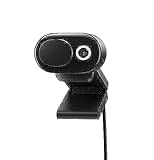 Microsoft Modern Webcam 1080p | $69.99 | ★ 4.3 (3,100) | View → |
Filter by Price
1080p/30fps Full HD with automatic light correction and dual mics. The gold standard for home office video calls — used by millions of streamers and remote workers.
✓ Pros
- ✓ Crystal-clear 1080p
- ✓ Auto light correction
- ✓ Built-in privacy shutter
✗ Cons
- ✗ No 4K
- ✗ Fixed focus
1080p webcam with a built-in adjustable ring light — no extra lighting gear needed for a professional look on dark mornings.
✓ Pros
- ✓ Built-in ring light
- ✓ Plug-and-play
- ✓ Great in low light
✗ Cons
- ✗ Bulkier than competitors
- ✗ Ring light non-removable
2K Sony sensor, dual noise-cancelling mics, AI auto-framing. Looks better than cameras twice the price — ideal for anyone doing Zoom calls daily.
✓ Pros
- ✓ 2K Sony sensor
- ✓ AI auto-framing
- ✓ Dual noise-cancelling mics
✗ Cons
- ✗ Not 4K
- ✗ Less brand recognition
True 4K/30fps with HDR, 5x digital zoom, and dual mics. If you do serious streaming or high-stakes video meetings, this is the best webcam money can buy under $200.
✓ Pros
- ✓ True 4K HDR
- ✓ 5x digital zoom
- ✓ Works with Windows Hello
✗ Cons
- ✗ Pricey
- ✗ 4K requires USB 3.0 port
Elgato Facecam Pro 4K Webcam
4K@60fps with a large Sony STARVIS sensor and fixed-focus prime lens. No software nonsense — full manual exposure controls baked into the hardware. The streamer's webcam.
✓ Pros
- ✓ 4K@60fps
- ✓ Sony STARVIS sensor
- ✓ Full manual controls
✗ Cons
- ✗ Very expensive
- ✗ No autofocus (intentional)
True-to-life color, 1080p@30fps, certified for Teams/Zoom/Skype. If you live in Microsoft 365, this webcam was built for you with HDR and Teams certification.
✓ Pros
- ✓ Teams/Zoom certified
- ✓ HDR support
- ✓ Clean simple design
✗ Cons
- ✗ No 4K
- ✗ No dedicated software
Buying Guide — What to Look For
1080p is minimum; 2K is the sweet spot
1080p/30fps is perfectly adequate for Zoom and Teams. 2K looks noticeably sharper and is worth the $10-20 premium. 4K is overkill unless you're recording high-production YouTube content.
Lighting matters more than resolution
A $30 webcam in good lighting beats a $200 webcam in dim light every time. If your desk faces away from a window, get a ring light or the Razer Kiyo with built-in lighting before spending on 4K.
Autofocus vs fixed focus
Cheap webcams use fixed focus — fine if you sit still. Autofocus (like on the C920s) adjusts when you lean in or move. Worth it if you gesture a lot on calls or shift position.
Field of view matters for your setup
A 78° FOV is standard for one person. 90°+ FOV is great if you have a home office backdrop you want to show. Too wide and your room looks like a fish-eye lens disaster.
Head-to-Head
the matchups readers actually ask aboutLogitech C920s vs Anker PowerConf C200
The C920s is the proven default with a decade of driver maturity; the C200 is the better camera. Anker's 2K sensor resolves visibly more detail, handles mixed lighting better, and costs about the same. The C920s still wins on universal compatibility — it works on everything from Raspberry Pis to ancient conference-room PCs. Buying for yourself: C200. Buying for a fleet: C920s.
Full side-by-side comparison →Logitech Brio 4K vs Insta360 Link
The Brio is a great sensor in a static box; the Link is a great sensor on a motorized gimbal that tracks you around the room. For seated meetings the Brio's simplicity wins — nothing to update, nothing to recenter. If you stand, whiteboard, or present, the Link's tracking is the closest thing to having a camera operator, and it genuinely shocks people on first use.
Full side-by-side comparison →Frequently Asked Questions
Is 4K worth it for video calls?
No — Zoom, Teams, and Meet all compress your feed to 1080p or below anyway. 4K matters if you're recording content locally (YouTube, course videos). For meetings, spend the difference on lighting instead; it makes a far bigger difference than resolution.
Why do I look bad on camera even with a good webcam?
It's almost always lighting. A webcam pointed at a face lit only by the monitor will look grainy no matter what it cost. Face a window, or put any soft light source behind your screen, and a $40 camera will suddenly look like it costs three times that.
Should I just use my phone as a webcam?
It's genuinely good — Apple's Continuity Camera and apps like Camo beat most webcams on pure image quality. The catch is friction: mounting it, keeping it charged, and having your phone unavailable during every call. If you take one important call a week, use the phone. Daily meetings, get a dedicated camera.
Our Verdict
The Logitech C920s is the camera of record — millions of people use it, and there's a reason. But honestly? Get the Anker C200 2K if you're buying today. Better sensor, smart auto-framing, and it makes you look like you care about your job. Which you do. Probably.
Was this helpful? Share it.
← Back to all picksGet the picks before everyone else
One short email when we publish new picks or spot a real deal. No spam, unsubscribe anytime.